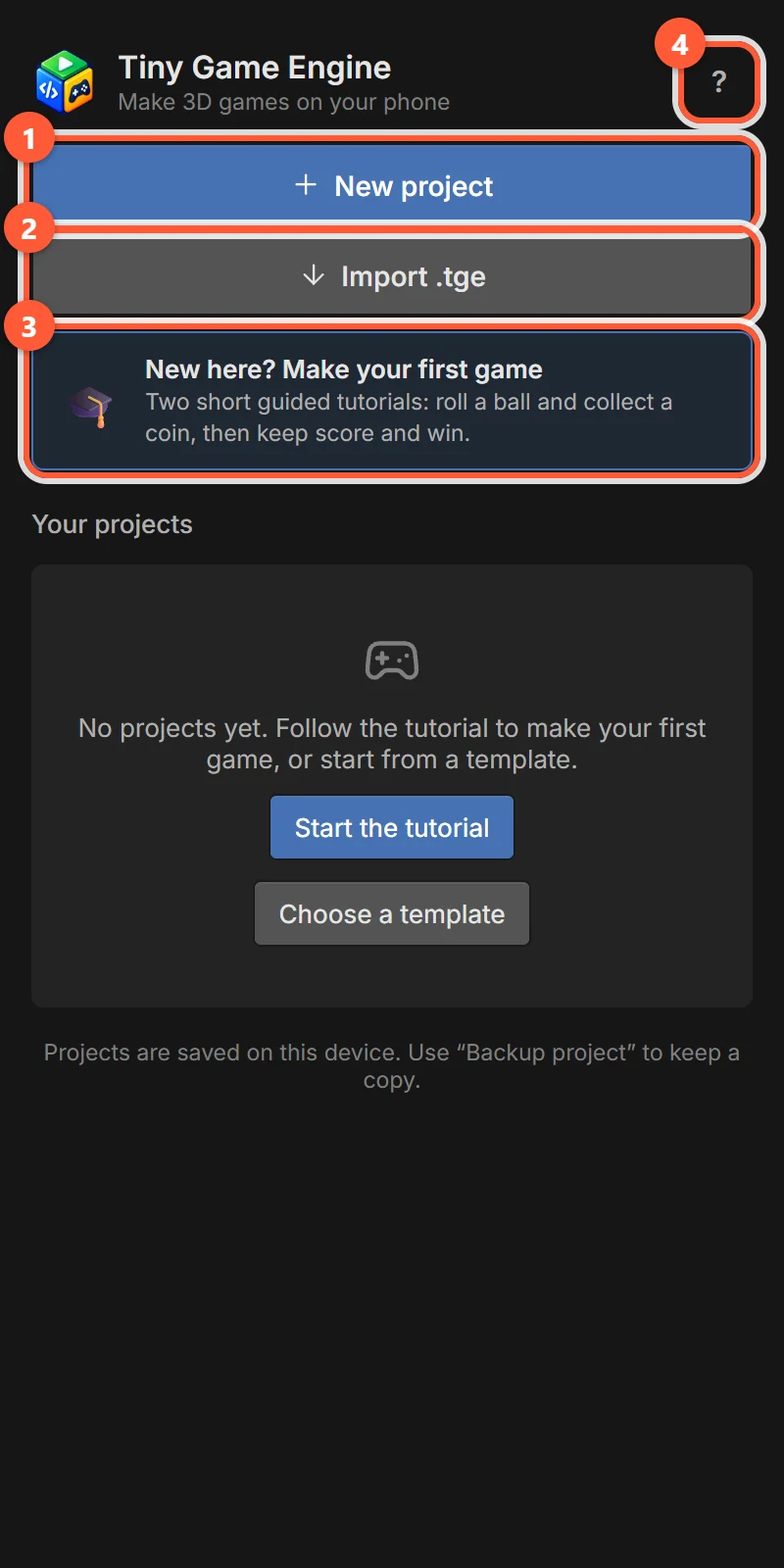
Home screen

The home screen lists your projects and is where you start new ones.
- 1+ New project — start from a template.
- 2⬇ Import .tge — open a project backup file.
- 3New here? Make your first game — the guided tutorials.
- 4? — Help & feedback.
Create a project
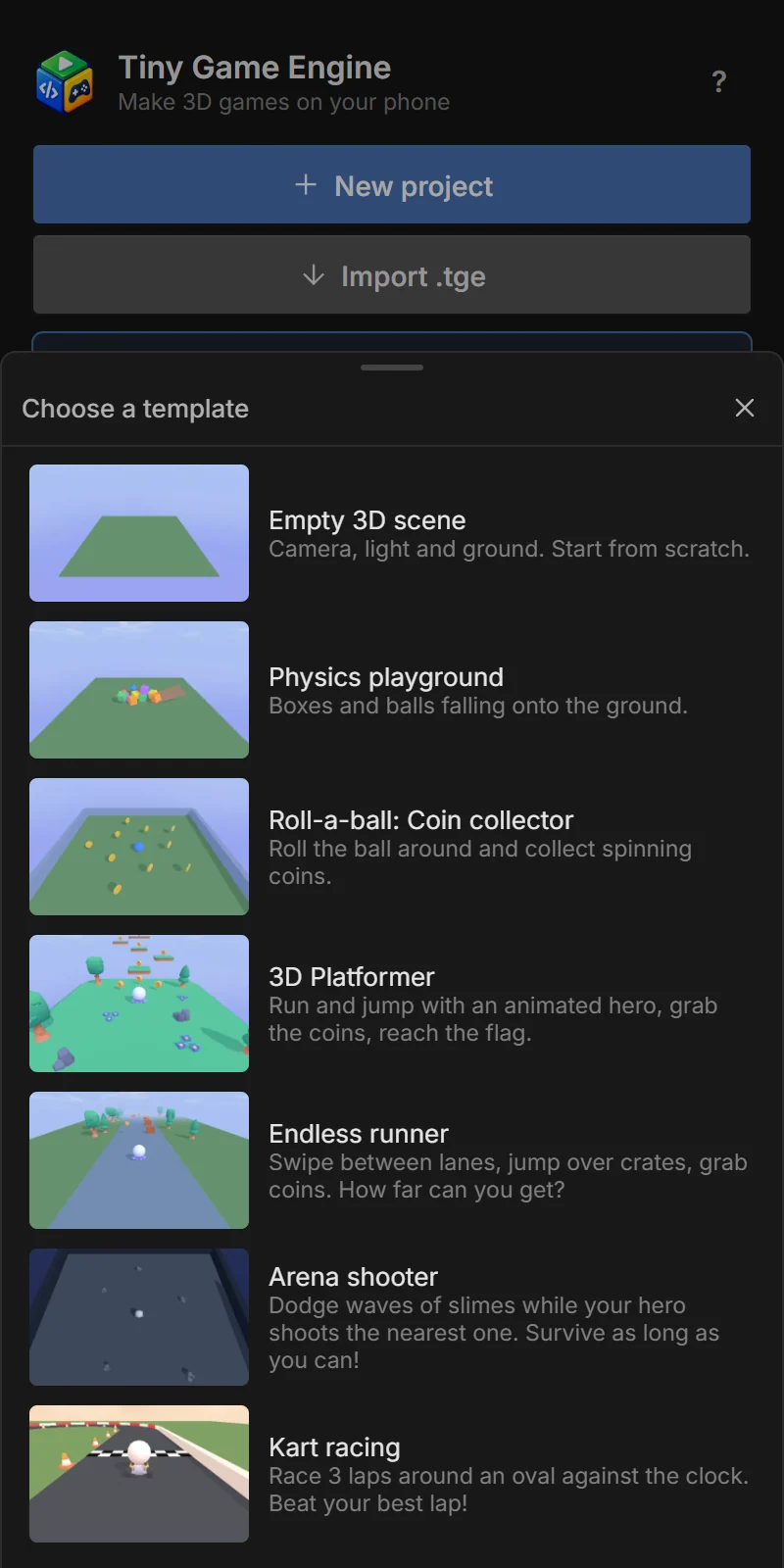
1Tap + New project
The template picker opens. Every template is a complete, playable game (except Empty 3D scene). Scroll to see all seven.
2Name it
Type a name and tap OK. You can rename it later.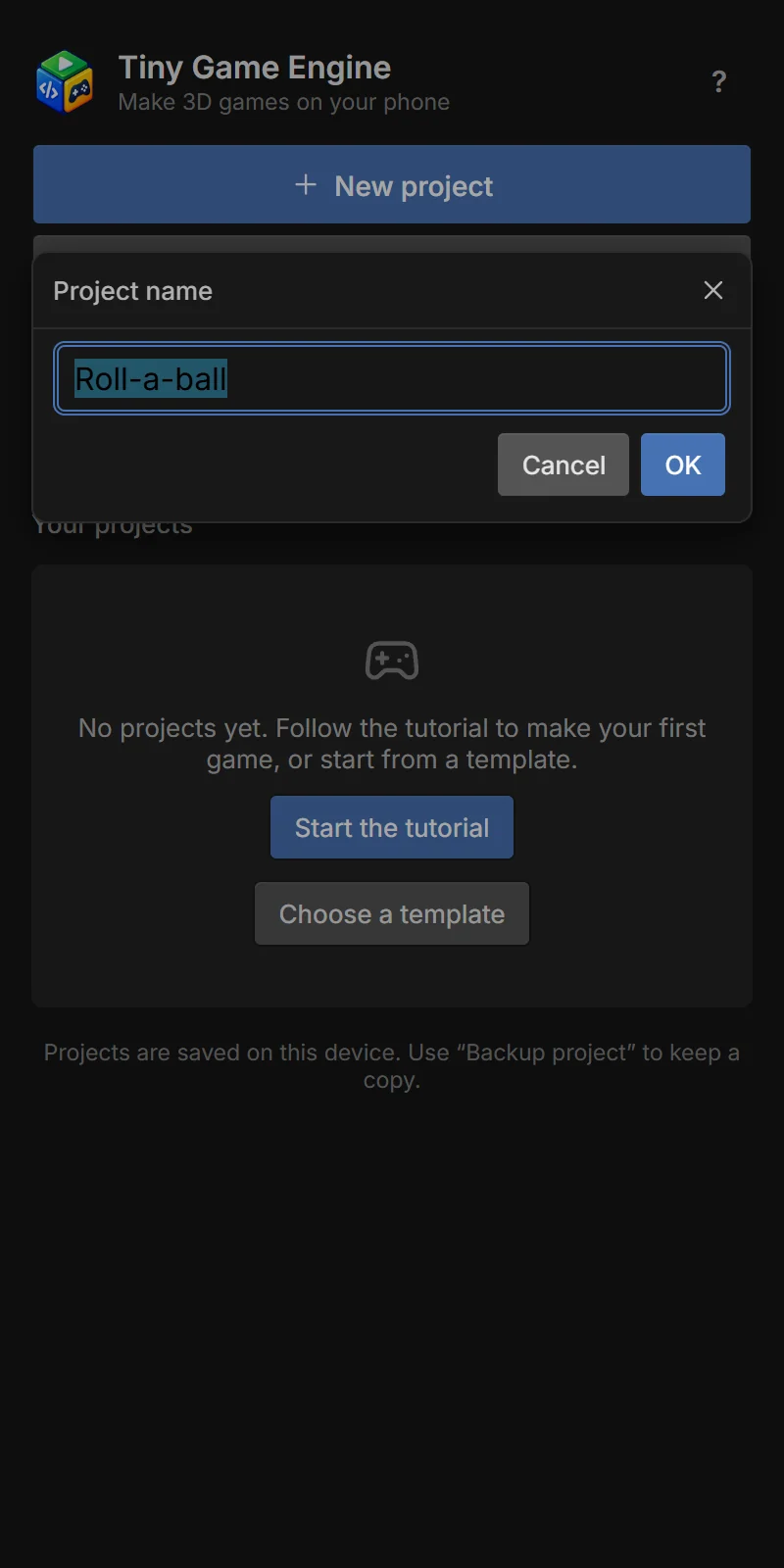
3Start building
The editor opens with your new project. Tap ← at the top left to come back to the home screen.
See Templates for what each template contains and how it works.
Your projects
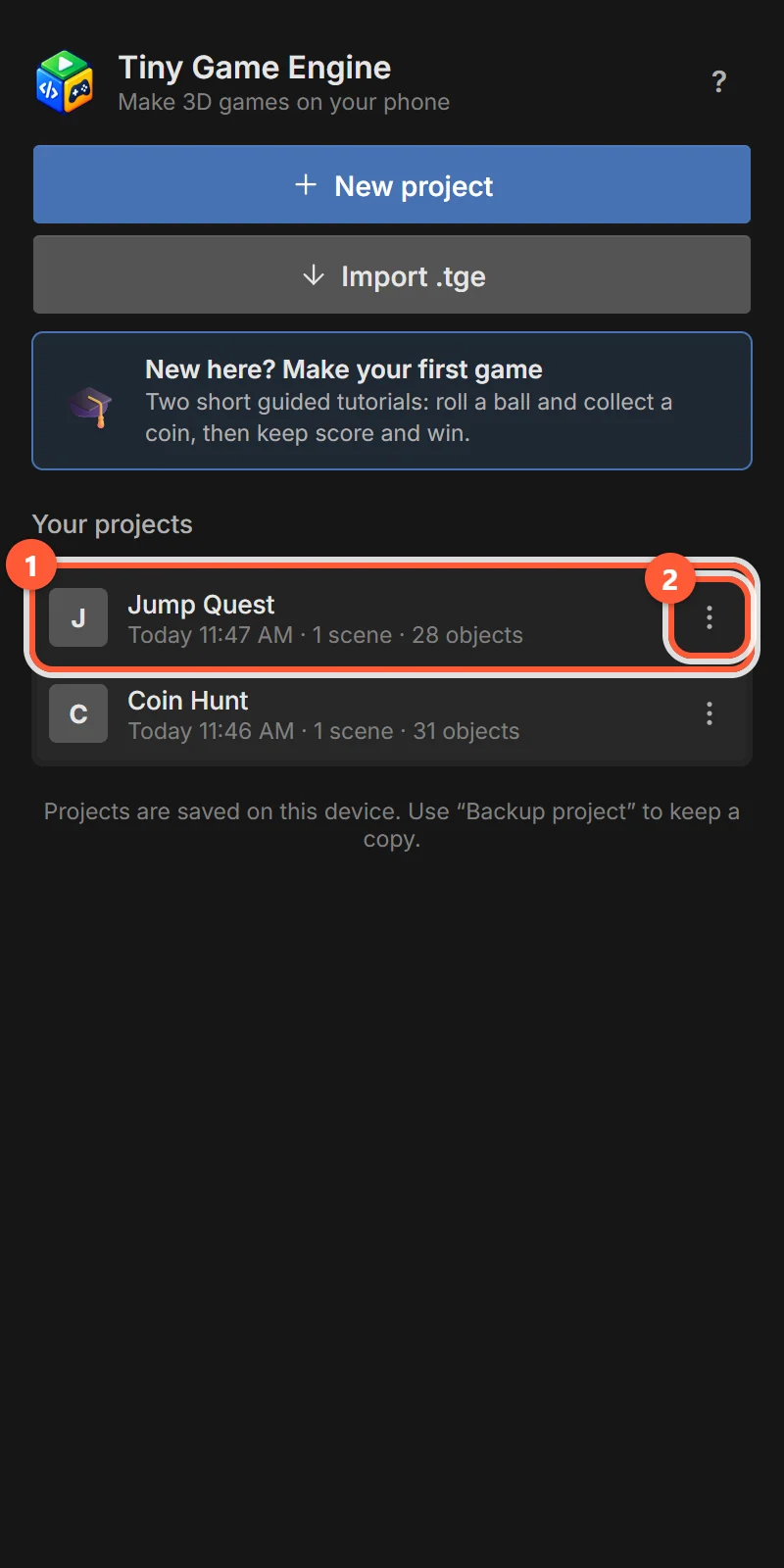
Each card shows the project name, when it was last changed, how many scenes and objects it has.
- 1Tap the card to open the project.
- 2Tap ⋮ for the project menu.
The most recently changed project is at the top.
Project menu
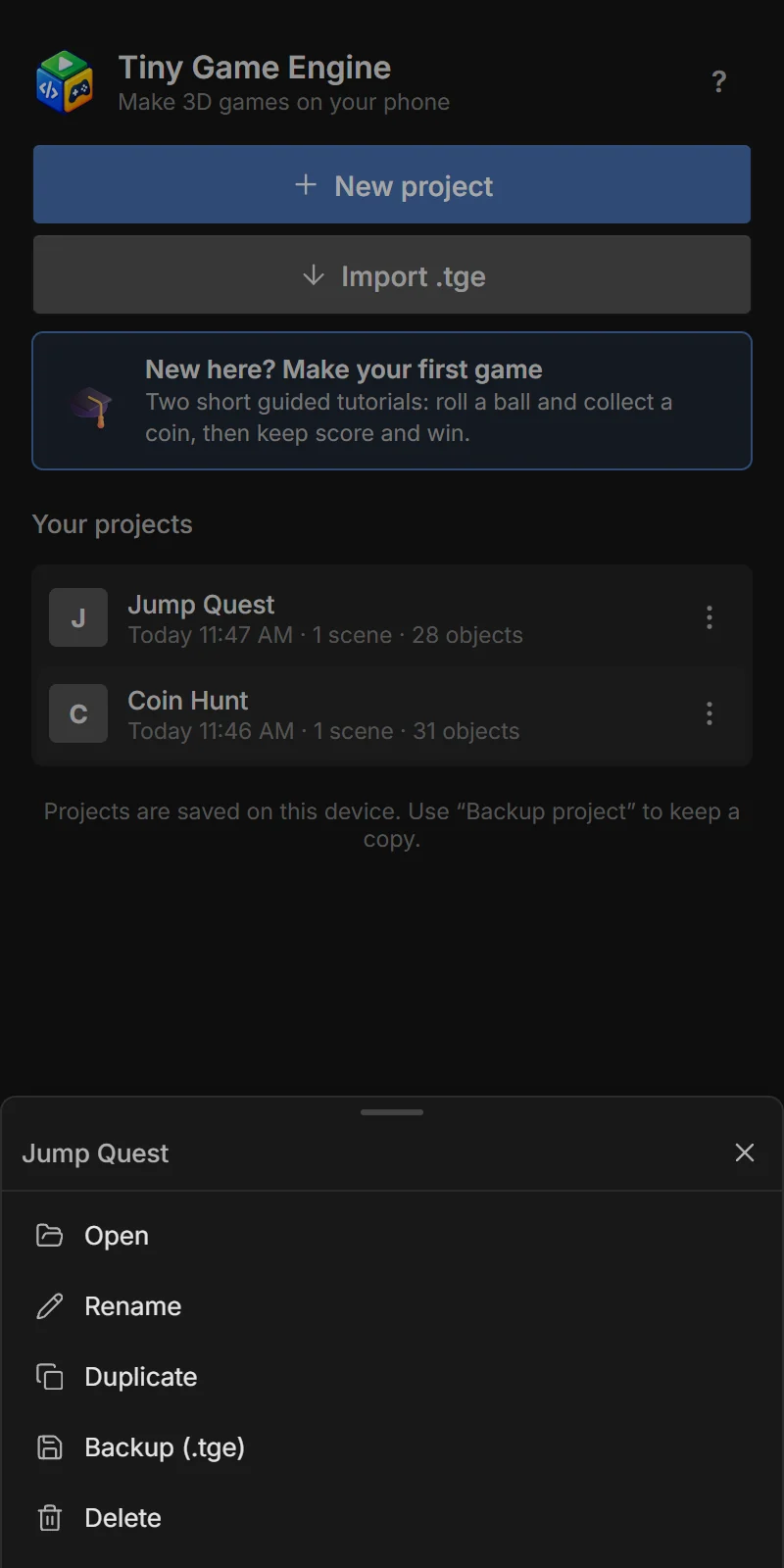
| Item | What it does |
|---|---|
| Open | Opens the project in the editor. |
| Rename | Changes the project name. |
| Duplicate | Makes a full copy (scenes, assets, events). Great before trying something risky. |
| Backup (.tge) | Saves the whole project as one .tge file you can keep or share. See Backup. |
| Delete | Deletes the project from this phone forever (asks first). |
Import a project
Tap ⬇ Import .tge and choose a .tge file (a backup made on this or another phone). It is added as a new project — it never overwrites one you already have.
Help & feedback
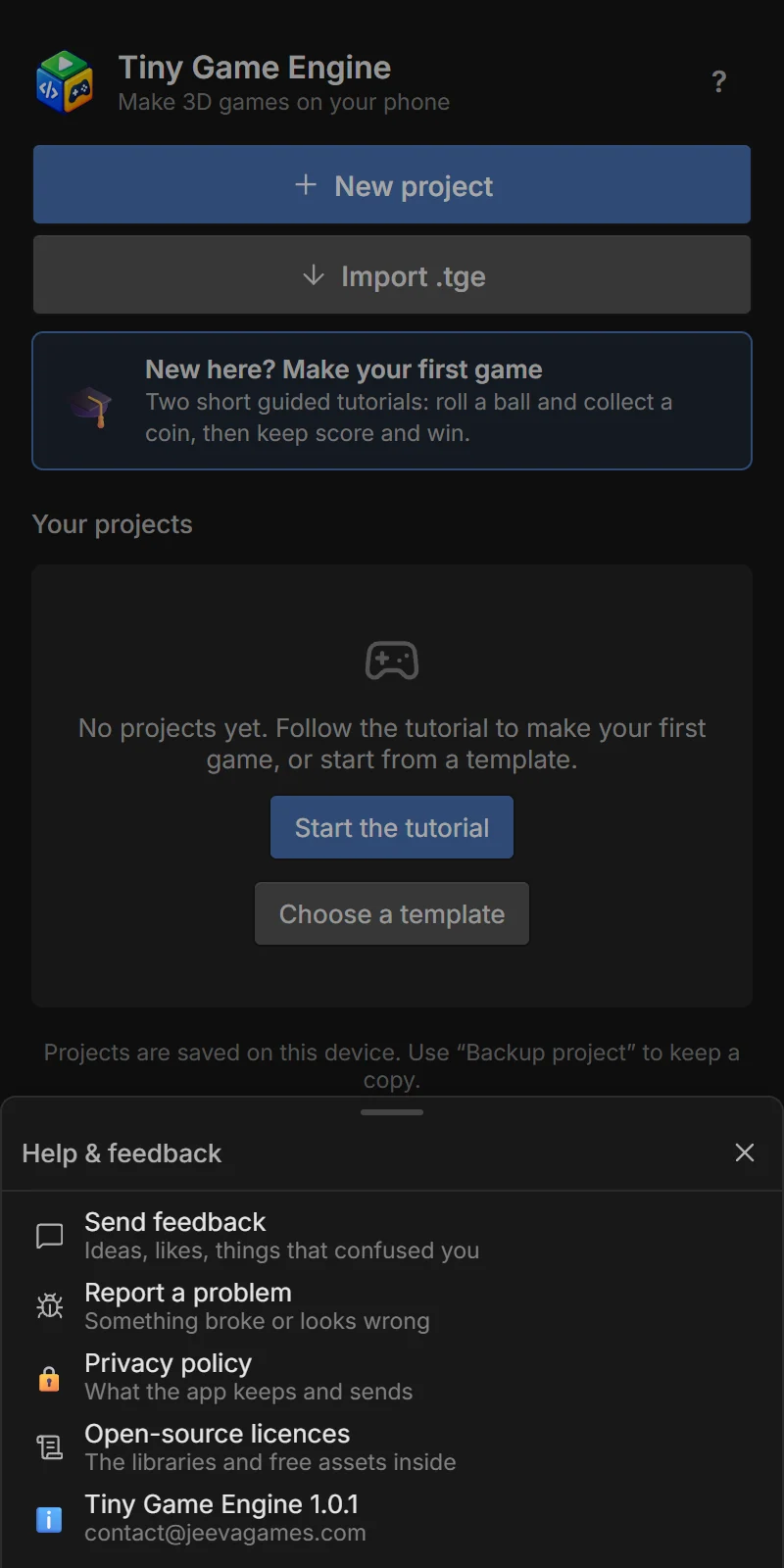
Tap ? at the top right (also in the editor’s ⋮ menu).
| Item | What it does |
|---|---|
| Send feedback | Opens your email app with a message to the developer. Ideas and things that confused you are very welcome. |
| Report a problem | Same, and attaches the app’s recent error log to help fix the bug. |
| Usage statistics | Turns anonymous statistics on or off (Android app only). |
| Privacy policy | What the app keeps and sends. |
| Open-source licences | The libraries and free assets inside the app. |
| Tiny Game Engine 1.x | The version you have and the contact address. |