Variables

A variable is a named value the game remembers while it runs: Score, Lives, PlayerName, DoorOpen. Each variable is a Number, Text or Yes / No (boolean).
Kinds of variables
| Kind | Lives… | Reset when… | Create it in |
|---|---|---|---|
| Global | in every scene | never (while the game runs) | Scene tab → Global variables, or a variable row at the top of an event sheet |
| Scene | in one scene | the scene starts | Scene tab → Scene variables |
| Local | inside one event, group or function (and its sub-events) | every time that event runs (unless static) | Event menu → Add local variable |
| Instance | on each copy of an object | the object is created | Inspector → Instance variables |
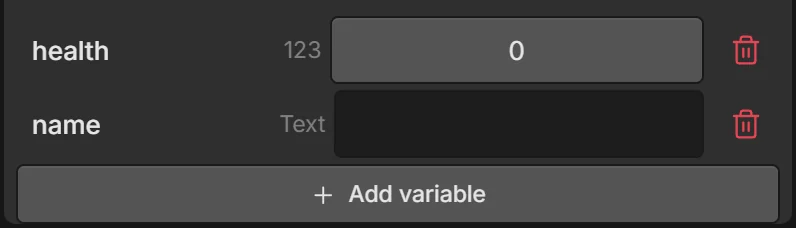
You can also create a variable while filling in an action: pick + New variable… in the Variable list.
Using variables in events
| To… | Use |
|---|---|
| Test a value | Compare variable (Score ≥ 10), Compare instance variable (Enemy.health ≤ 0) |
| Change a value | Set variable, Add to variable, Subtract from variable, Toggle variable (Yes/No) |
| Change an object’s value | Set / Add to / Subtract from instance variable |
| Show it | In any expression: "Score: " + Score, Enemy.health |
Text variables: Add to variable appends text.
Saving between game sessions
Variables are forgotten when the game closes. To keep a high score or unlocked levels, use:
- Save value — stores a value on the device under a save name. Leave Value empty to save the variable with the same name.
- Load value — reads it back into a variable (nothing happens if it was never saved). Leave Variable empty to load into the variable with the same name.
Example — best score:
| Conditions | Actions |
|---|---|
| ⚡ On start of scene | Load value best into Best |
| Score > Best | Set Best to Score · Save value best = Best |
Scripts: game.save('best', 10), game.load('best').
Names
Variable names use letters, numbers and _, and can’t start with a number. They are case-sensitive: score and Score are different.