Export as Android app (APK)

⋮ → Export game (APK) turns your game into a real Android app — built and signed on your phone, no PC and no internet needed. Install it, share it with friends, or put it on sites like itch.io.
Export
Fill in the dialog and tap Build APK:
| Field | What it does |
|---|---|
| App name | Shown under the icon on the home screen. |
| Package name | The app’s unique id, like com.yourname.coinhunt. Keep it the same so a new export installs as an update; changing it makes a separate app. Use default restores the suggested one. |
| Version | Shown in Android settings (1.0, 1.1…). The internal build number goes up automatically, so every export can be installed over the previous one. |
| App icon | An image from your assets. A square image works best; it is used for the normal, round and adaptive icons. |
| Screen orientation | Landscape, Portrait or Any. |
Your choices are remembered for the next export.
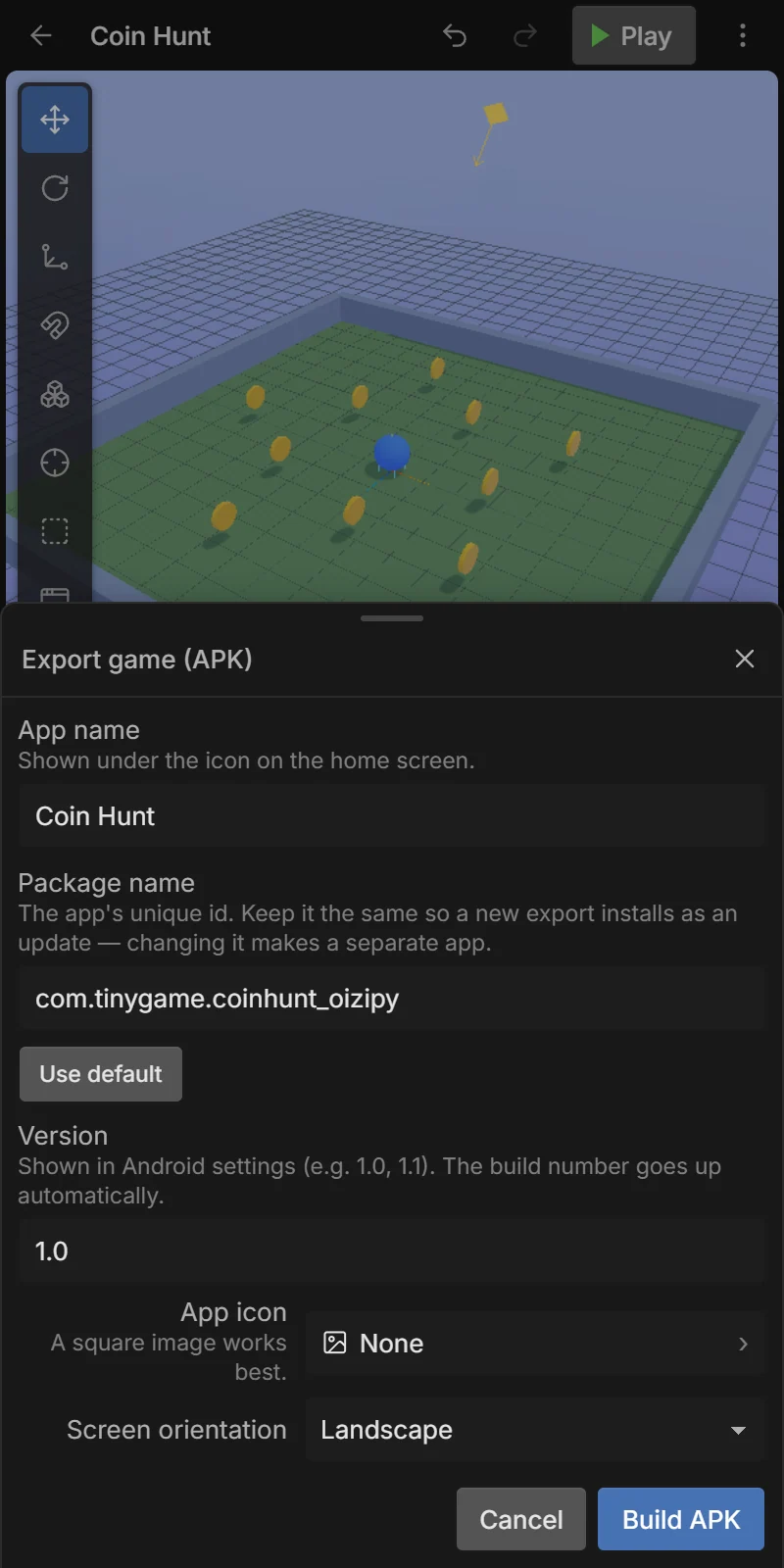
After a few seconds the share sheet opens with the .apk file: save it, or send it to another phone.
Install the APK
- Open the
.apkfile on an Android phone (from Files, Drive, or the chat you sent it in). - Android asks to allow installing apps from that source the first time — allow it.
- Tap Install. Your game appears on the home screen with its icon.
Signing key
Android only installs apps that are signed. The first time you export, Tiny Game Engine creates a signing key on your phone and signs every APK with it. An update installs over an older version only if it has the same package name and the same key.
If you reinstall Tiny Game Engine, switch phones or clear its data, the key is gone and your next APK can’t update the old one (players would have to uninstall first). Back it up once:
⋮ → APK signing key:
| Item | What it does |
|---|---|
| Back up key (.tgekey) | Saves the key as a file protected by a password you choose. Keep it somewhere safe (Drive, email to yourself). |
| Restore key | Loads a .tgekey backup (needs its password) — on a new phone or after reinstalling. |
The menu title shows your key’s short fingerprint, so you can check two phones use the same key.
Google Play
APKs are for sharing and installing directly. Google Play needs an App Bundle (AAB) instead, which Tiny Game Engine does not export yet.