Actions
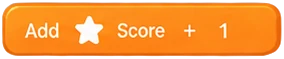
Actions are the DO part of an event. They run from top to bottom when the event’s conditions are true. Actions on an object apply to the instances the conditions picked (or to all instances of that object if none were picked). See How events work.
Number and text fields accept expressions, e.g. Score + 1, "Score: " + Score, Player.x, random(1, 6). See Expressions.
There are 85 actions, grouped by category as in the action picker.
⚙️ System · 🔢 Variables · ƒ Functions · ⏱️ Time · 🎬 Scene · 🔄 Loops · 📦 Object · 🧱 Physics · 🔤 Text · 🖼️ UI · 🧩 Behaviors · ✨ Particles · 🔊 Audio · 🎥 Camera
⚙️ System
Show message
Show message ‹Message›Show a short message on screen (handy for testing).
- Where: Found under System in the picker.
- ID:
system.log(as saved in project files)
| Parameter | Type | Default | Notes |
|---|---|---|---|
| Message | Expression | "Hello!" |
Log to console
Log ‹Message›Write a line to the debug console (🐞 button while playing) without showing it in the game. Great for checking that an event runs, e.g. "Clicked! score = " + Score.
- Where: Found under System in the picker.
- ID:
system.consoleLog(as saved in project files)
| Parameter | Type | Default | Notes |
|---|---|---|---|
| Message | Expression | "Event ran" |
Show alert
Alert ‹Message›Pop up a message box and pause until it is closed. Use it for one-off checks, not every tick.
- Where: Found under System in the picker.
- ID:
system.alert(as saved in project files)
| Parameter | Type | Default | Notes |
|---|---|---|---|
| Message | Expression | "Hello!" |
Vibrate phone
Vibrate phone (‹Strength›)A short buzz you can feel, great with Shake camera. Works on Android phones; ignored on desktop and iPhone.
- Where: Found under System in the picker.
- ID:
system.vibrate(as saved in project files)
| Parameter | Type | Default | Notes |
|---|---|---|---|
| Strength | Choice | bump | Options: Tap (very light), Bump, Hit (strong), Long buzz |
Pause game
Pause gameFreeze the game.
- Where: Found under System in the picker.
- ID:
system.pause(as saved in project files) - Parameters: none
Resume game
Resume gameUnfreeze the game.
- Where: Found under System in the picker.
- ID:
system.resume(as saved in project files) - Parameters: none
Set group active
Set group ‹Group› active: ‹Active›Turn a group of events on or off.
- Where: Found under System in the picker.
- ID:
system.setGroupActive(as saved in project files)
| Parameter | Type | Default | Notes |
|---|---|---|---|
| Group | Event group | ||
| Active | Yes / No (expression) | true |
🔢 Variables
Set variable
Set ‹Variable› to ‹Value›Change the value of a global or scene variable.
- Where: Found under System in the picker.
- ID:
system.setVar(as saved in project files)
| Parameter | Type | Default | Notes |
|---|---|---|---|
| Variable | Variable | ||
| Value | Expression | 0 |
Add to variable
Add ‹Value› to ‹Variable›Increase a variable (text variables get the value appended).
- Where: Found under System in the picker.
- ID:
system.addToVar(as saved in project files)
| Parameter | Type | Default | Notes |
|---|---|---|---|
| Variable | Variable | ||
| Value | Expression | 1 |
Subtract from variable
Subtract ‹Value› from ‹Variable›Decrease a number variable.
- Where: Found under System in the picker.
- ID:
system.subtractFromVar(as saved in project files)
| Parameter | Type | Default | Notes |
|---|---|---|---|
| Variable | Variable | ||
| Value | Expression | 1 |
Toggle variable
Toggle ‹Variable›Flip a true/false variable.
- Where: Found under System in the picker.
- ID:
system.toggleVar(as saved in project files)
| Parameter | Type | Default | Notes |
|---|---|---|---|
| Variable | Variable |
Save value
Save ‹Value› as ‹Save name›Store a value on the device (kept after closing the game). Empty value = the variable with the same name as the key.
- Where: Found under System in the picker.
- ID:
system.save(as saved in project files)
| Parameter | Type | Default | Notes |
|---|---|---|---|
| Save name | Text | Highscore | |
| Value | Expression | Optional. |
Load value
Load ‹Save name› into ‹Variable›Read a saved value into a variable (nothing happens if it was never saved). Empty variable = same name as the key.
- Where: Found under System in the picker.
- ID:
system.load(as saved in project files)
| Parameter | Type | Default | Notes |
|---|---|---|---|
| Save name | Text | Highscore | |
| Variable | Variable | Optional. |
Set instance variable
Set ‹Object›.‹Instance variable› to ‹Value›Change one of the object's own variables.
- Where: Pick an object (or a #tag) first, then this action.
- ID:
object.setVar(as saved in project files)
| Parameter | Type | Default | Notes |
|---|---|---|---|
| Instance variable | Variable | An instance variable of the object. | |
| Value | Expression | 0 |
Add to instance variable
Add ‹Value› to ‹Object›.‹Instance variable›Increase one of the object's own variables.
- Where: Pick an object (or a #tag) first, then this action.
- ID:
object.addToVar(as saved in project files)
| Parameter | Type | Default | Notes |
|---|---|---|---|
| Instance variable | Variable | An instance variable of the object. | |
| Value | Expression | 1 |
Subtract from instance variable
Subtract ‹Value› from ‹Object›.‹Instance variable›Decrease one of the object's own variables.
- Where: Pick an object (or a #tag) first, then this action.
- ID:
object.subtractFromVar(as saved in project files)
| Parameter | Type | Default | Notes |
|---|---|---|---|
| Instance variable | Variable | An instance variable of the object. | |
| Value | Expression | 1 |
ƒ Functions
Call function
Call ‹Function›Run a function block (made with Add → Function) with values for its parameters.
- Where: Found under System in the picker.
- ID:
system.callFunction(as saved in project files)
| Parameter | Type | Default | Notes |
|---|---|---|---|
| Function | Function |
Set return value
Set return value to ‹Value›Inside a function: the value that Functions.Name(...) gives back.
- Where: Found under System in the picker.
- ID:
system.setReturnValue(as saved in project files)
| Parameter | Type | Default | Notes |
|---|---|---|---|
| Value | Expression | 0 |
⏱️ Time
Wait
Wait ‹Seconds› seconds ⏸ WaitsPause the rest of this event (next actions and sub-events) for a while.
- Where: Found under System in the picker.
- ID:
system.wait(as saved in project files)
| Parameter | Type | Default | Notes |
|---|---|---|---|
| Seconds | Number (expression) | 1 |
Set time scale
Set time scale to ‹Time scale›1 = normal speed, 0.5 = slow motion, 2 = double speed.
- Where: Found under System in the picker.
- ID:
system.setTimeScale(as saved in project files)
| Parameter | Type | Default | Notes |
|---|---|---|---|
| Time scale | Number (expression) | 1 |
Start timer
Start timer ‹Timer name› for ‹Seconds› s (repeat: ‹Repeat›)Start a countdown. Use "On timer finished" to react when it ends.
- Where: Found under System in the picker.
- ID:
time.startTimer(as saved in project files)
| Parameter | Type | Default | Notes |
|---|---|---|---|
| Timer name | Text | timer | |
| Seconds | Number (expression) | 3 | |
| Repeat | Yes / No (expression) | false |
Stop timer
Stop timer ‹Timer name›Cancel a running timer.
- Where: Found under System in the picker.
- ID:
time.stopTimer(as saved in project files)
| Parameter | Type | Default | Notes |
|---|---|---|---|
| Timer name | Text | timer |
🎬 Scene
Go to scene
Go to scene ‹Scene›Switch to another scene.
- Where: Found under System in the picker.
- ID:
system.goToScene(as saved in project files)
| Parameter | Type | Default | Notes |
|---|---|---|---|
| Scene | Scene |
Restart scene
Restart sceneStart the current scene again from the beginning.
- Where: Found under System in the picker.
- ID:
system.restartScene(as saved in project files) - Parameters: none
🔄 Loops
Stop loop
Stop loopEnd the loop this event is in (Repeat, For, For each, While) after the current repeat.
- Where: Found under System in the picker.
- ID:
system.stopLoop(as saved in project files) - Parameters: none
📦 Object
Create object
Create ‹Object / prefab› at (‹X›, ‹Y›, ‹Z›)Create a new object from a prefab (or copy of an object) at a position. It becomes picked for the next actions.
- Where: Found under System in the picker.
- ID:
system.create(as saved in project files)
| Parameter | Type | Default | Notes |
|---|---|---|---|
| Object / prefab | Object / prefab | ||
| X | Number (expression) | 0 | |
| Y | Number (expression) | 1 | |
| Z | Number (expression) | 0 |
Destroy
Destroy ‹Object›Remove the object from the game.
- Where: Pick an object (or a #tag) first, then this action.
- ID:
object.destroy(as saved in project files) - Parameters: none
Spawn object
‹Object› spawns ‹Object / prefab to create› (offset ‹Offset X›, ‹Offset Y›, ‹Offset Z›)Create an object (prefab) at this object's position (+ offset). The new object becomes picked for the next actions.
- Where: Found under an object; it can also be used on an object.
- ID:
object.spawn(as saved in project files)
| Parameter | Type | Default | Notes |
|---|---|---|---|
| Object / prefab to create | Object / prefab | ||
| Offset X | Number (expression) | 0 | |
| Offset Y | Number (expression) | 0 | |
| Offset Z | Number (expression) | 0 |
Set position
Set ‹Object› position to (‹X›, ‹Y›, ‹Z›)Teleport the object. Self.x means "keep the current x".
- Where: Pick an object (or a #tag) first, then this action.
- ID:
object.setPosition(as saved in project files)
| Parameter | Type | Default | Notes |
|---|---|---|---|
| X | Number (expression) | Self.x | |
| Y | Number (expression) | Self.y | |
| Z | Number (expression) | Self.z |
Move by
Move ‹Object› by (‹X›, ‹Y›, ‹Z›)Move the object by an amount (world axes). Multiply by dt for smooth per-second movement.
- Where: Pick an object (or a #tag) first, then this action.
- ID:
object.move(as saved in project files)
| Parameter | Type | Default | Notes |
|---|---|---|---|
| X | Number (expression) | 0 | |
| Y | Number (expression) | 0 | |
| Z | Number (expression) | 0 |
Move forward
Move ‹Object› forward ‹Distance›Move in the direction the object is facing.
- Where: Pick an object (or a #tag) first, then this action.
- ID:
object.moveForward(as saved in project files)
| Parameter | Type | Default | Notes |
|---|---|---|---|
| Distance | Number (expression) | 0.1 |
Move toward object
Move ‹Object› toward ‹Target› at speed ‹Speed›Move toward another object (speed in meters per second).
- Where: Pick an object (or a #tag) first, then this action.
- ID:
object.moveToward(as saved in project files)
| Parameter | Type | Default | Notes |
|---|---|---|---|
| Target | Object or #tag | ||
| Speed | Number (expression) | 2 |
Move toward position
Move ‹Object› toward (‹X›, ‹Y›, ‹Z›) at speed ‹Speed›Move toward a point (speed in meters per second).
- Where: Pick an object (or a #tag) first, then this action.
- ID:
object.moveTowardPosition(as saved in project files)
| Parameter | Type | Default | Notes |
|---|---|---|---|
| X | Number (expression) | 0 | |
| Y | Number (expression) | 0 | |
| Z | Number (expression) | 0 | |
| Speed | Number (expression) | 2 |
Set rotation
Set ‹Object› rotation to (‹X›°, ‹Y›°, ‹Z›°)Set the rotation in degrees.
- Where: Pick an object (or a #tag) first, then this action.
- ID:
object.setRotation(as saved in project files)
| Parameter | Type | Default | Notes |
|---|---|---|---|
| X | Number (expression) | Self.rotX | |
| Y | Number (expression) | Self.rotY | |
| Z | Number (expression) | Self.rotZ |
Set angle
Set ‹Object› angle to ‹Angle›°Turn the object to face a direction (degrees around the vertical axis).
- Where: Pick an object (or a #tag) first, then this action.
- ID:
object.setAngle(as saved in project files)
| Parameter | Type | Default | Notes |
|---|---|---|---|
| Angle | Number (expression) | 0 |
Rotate by
Rotate ‹Object› by (‹X›°, ‹Y›°, ‹Z›°)Turn the object by some degrees. Multiply by dt for smooth per-second rotation.
- Where: Pick an object (or a #tag) first, then this action.
- ID:
object.rotate(as saved in project files)
| Parameter | Type | Default | Notes |
|---|---|---|---|
| X | Number (expression) | 0 | |
| Y | Number (expression) | 5 | |
| Z | Number (expression) | 0 |
Look at
‹Object› looks at ‹Target›Turn the object to face another object.
- Where: Pick an object (or a #tag) first, then this action.
- ID:
object.lookAt(as saved in project files)
| Parameter | Type | Default | Notes |
|---|---|---|---|
| Target | Object or #tag |
Set size
Set ‹Object› size to (‹X›, ‹Y›, ‹Z›)Change the size (1 = normal).
- Where: Pick an object (or a #tag) first, then this action.
- ID:
object.setScale(as saved in project files)
| Parameter | Type | Default | Notes |
|---|---|---|---|
| X | Number (expression) | 1 | |
| Y | Number (expression) | 1 | |
| Z | Number (expression) | 1 |
Set visible
Set ‹Object› visible: ‹Visible›Show or hide the object.
- Where: Pick an object (or a #tag) first, then this action.
- ID:
object.setVisible(as saved in project files)
| Parameter | Type | Default | Notes |
|---|---|---|---|
| Visible | Yes / No (expression) | true |
Set enabled
Set ‹Object› enabled: ‹Enabled›A disabled object is hidden and stops moving/colliding.
- Where: Pick an object (or a #tag) first, then this action.
- ID:
object.setEnabled(as saved in project files)
| Parameter | Type | Default | Notes |
|---|---|---|---|
| Enabled | Yes / No (expression) | true |
Set color
Set ‹Object› color to ‹Color›Change the object's color.
- Where: Pick an object (or a #tag) first, then this action.
- ID:
object.setColor(as saved in project files)
| Parameter | Type | Default | Notes |
|---|---|---|---|
| Color | Color | #ff0000 |
Set opacity
Set ‹Object› opacity to ‹Opacity›1 = solid, 0 = invisible.
- Where: Pick an object (or a #tag) first, then this action.
- ID:
object.setOpacity(as saved in project files)
| Parameter | Type | Default | Notes |
|---|---|---|---|
| Opacity | Number (expression) | 0.5 |
Tween
Tween ‹Object› ‹Property› to ‹To› in ‹Seconds› s (‹Easing›)Smoothly animate position, angle, size or opacity to a value, e.g. size 1.5 with Back for a pop, or Self.y + 2 to rise. Starting another tween of the same property replaces it.
- Where: Pick an object (or a #tag) first, then this action.
- ID:
object.tween(as saved in project files)
| Parameter | Type | Default | Notes |
|---|---|---|---|
| Property | Choice | size | Options: Position X, Position Y, Position Z, Angle (°), Size (all axes), Opacity |
| To | Number (expression) | 1.5 | |
| Seconds | Number (expression) | 0.3 | |
| Easing | Choice | back | Options: Linear, Ease in (speeds up), Ease out (slows down), Ease in and out, Back (overshoots), Elastic (wobbles), Bounce |
Stop tweens
Stop ‹Object› tweensStop every running tween of the object where it is now.
- Where: Pick an object (or a #tag) first, then this action.
- ID:
object.stopTweens(as saved in project files) - Parameters: none
Attach to
Attach ‹Object› to ‹Attach to›The object becomes a child of the target and moves with it, e.g. a key the player picked up. It stays where it is; use Set position afterwards to place it relative to the target (0, 0, 0 = the center of the target).
- Where: Pick an object (or a #tag) first, then this action.
- ID:
object.attachTo(as saved in project files)
| Parameter | Type | Default | Notes |
|---|---|---|---|
| Attach to | Object or #tag |
Detach
Detach ‹Object›Let go of an attached object: it stays where it is and moves on its own again.
- Where: Pick an object (or a #tag) first, then this action.
- ID:
object.detach(as saved in project files) - Parameters: none
Play animation
‹Object› plays animation ‹Animation› (loop: ‹Loop›)Play a clip of its 3D model, e.g. "walk", "jump" or "die". Loop off = play once and hold the last frame.
- Where: Pick an object (or a #tag) first, then this action.
- ID:
object.playAnimation(as saved in project files)
| Parameter | Type | Default | Notes |
|---|---|---|---|
| Animation | Expression | "walk" | |
| Loop | Yes / No (expression) | true |
Stop animation
‹Object› stops its animationStop the playing model animation.
- Where: Pick an object (or a #tag) first, then this action.
- ID:
object.stopAnimation(as saved in project files) - Parameters: none
Set animation speed
Set ‹Object› animation speed to ‹Speed›1 = normal, 0.5 = half speed, 2 = double.
- Where: Pick an object (or a #tag) first, then this action.
- ID:
object.setAnimationSpeed(as saved in project files)
| Parameter | Type | Default | Notes |
|---|---|---|---|
| Speed | Number (expression) | 1 |
Add tag
Add tag ‹Tag› to ‹Object›Give the object a tag.
- Where: Pick an object (or a #tag) first, then this action.
- ID:
object.addTag(as saved in project files)
| Parameter | Type | Default | Notes |
|---|---|---|---|
| Tag | Tag |
Remove tag
Remove tag ‹Tag› from ‹Object›Remove a tag from the object.
- Where: Pick an object (or a #tag) first, then this action.
- ID:
object.removeTag(as saved in project files)
| Parameter | Type | Default | Notes |
|---|---|---|---|
| Tag | Tag |
🧱 Physics
Set velocity
Set ‹Object› velocity to (‹X›, ‹Y›, ‹Z›)Set the physics speed on each axis (needs a Rigid body).
- Where: Pick an object (or a #tag) first, then this action.
- ID:
object.setVelocity(as saved in project files)
| Parameter | Type | Default | Notes |
|---|---|---|---|
| X | Number (expression) | Self.vx | |
| Y | Number (expression) | Self.vy | |
| Z | Number (expression) | Self.vz |
Push (impulse)
Push ‹Object› by (‹X›, ‹Y›, ‹Z›)Give the object a sudden push (needs a Rigid body).
- Where: Pick an object (or a #tag) first, then this action.
- ID:
object.applyImpulse(as saved in project files)
| Parameter | Type | Default | Notes |
|---|---|---|---|
| X | Number (expression) | 0 | |
| Y | Number (expression) | 5 | |
| Z | Number (expression) | 0 |
Apply force
Apply force (‹X›, ‹Y›, ‹Z›) to ‹Object›Push continuously (use every tick; needs a Rigid body).
- Where: Pick an object (or a #tag) first, then this action.
- ID:
object.applyForce(as saved in project files)
| Parameter | Type | Default | Notes |
|---|---|---|---|
| X | Number (expression) | 0 | |
| Y | Number (expression) | 10 | |
| Z | Number (expression) | 0 |
Jump
‹Object› jumps (strength ‹Strength›)Jump up, only when standing on the ground (needs a Rigid body).
- Where: Pick an object (or a #tag) first, then this action.
- ID:
object.jump(as saved in project files)
| Parameter | Type | Default | Notes |
|---|---|---|---|
| Strength | Number (expression) | 7 |
🔤 Text
Set text
Set ‹Object› text to ‹Text›Change the text shown by a text object.
- Where: Pick an object (or a #tag) first, then this action.
- ID:
object.setText(as saved in project files)
| Parameter | Type | Default | Notes |
|---|---|---|---|
| Text | Expression | "Hello" |
Set text
Set text of ‹Object› to ‹Text›Change the text of an object with a Text component, e.g. "Score: " + Score.
- Where: Pick an object (or a #tag) first, then this action.
- ID:
text.setText(as saved in project files)
| Parameter | Type | Default | Notes |
|---|---|---|---|
| Text | Expression | "Score: " + Score |
Append text
Append ‹Text› to text of ‹Object›Add text at the end of the current text.
- Where: Pick an object (or a #tag) first, then this action.
- ID:
text.appendText(as saved in project files)
| Parameter | Type | Default | Notes |
|---|---|---|---|
| Text | Expression | "!" |
🖼️ UI
Show
Show ‹Object›Show a UI element or a whole screen (and everything inside it).
- Where: Pick an object (or a #tag) first, then this action.
- ID:
ui.show(as saved in project files) - Parameters: none
Hide
Hide ‹Object›Hide a UI element or a whole screen.
- Where: Pick an object (or a #tag) first, then this action.
- ID:
ui.hide(as saved in project files) - Parameters: none
Show / hide
Toggle ‹Object› visibleShow it if hidden, hide it if shown.
- Where: Pick an object (or a #tag) first, then this action.
- ID:
ui.toggle(as saved in project files) - Parameters: none
Set label
Set ‹Object› label to ‹Text›Change the text of a label or button, e.g. "Lives: " + Lives.
- Where: Pick an object (or a #tag) first, then this action.
- ID:
ui.setText(as saved in project files)
| Parameter | Type | Default | Notes |
|---|---|---|---|
| Text | Expression | "Hello" |
Set bar value
Set ‹Object› value to ‹Value›Set a progress bar value, e.g. health or time left.
- Where: Pick an object (or a #tag) first, then this action.
- ID:
ui.setValue(as saved in project files)
| Parameter | Type | Default | Notes |
|---|---|---|---|
| Value | Expression | 100 |
Add to bar value
Add ‹Amount› to ‹Object› valueAdd (or subtract with a negative number) to a progress bar. Stays between 0 and max.
- Where: Pick an object (or a #tag) first, then this action.
- ID:
ui.addValue(as saved in project files)
| Parameter | Type | Default | Notes |
|---|---|---|---|
| Amount | Expression | -10 |
Set bar maximum
Set ‹Object› max to ‹Maximum›Set the maximum of a progress bar.
- Where: Pick an object (or a #tag) first, then this action.
- ID:
ui.setMax(as saved in project files)
| Parameter | Type | Default | Notes |
|---|---|---|---|
| Maximum | Expression | 100 |
Set image
Set ‹Object› image to ‹Image›Change the picture of an image, button or panel.
- Where: Pick an object (or a #tag) first, then this action.
- ID:
ui.setImage(as saved in project files)
| Parameter | Type | Default | Notes |
|---|---|---|---|
| Image | Image |
Set background color
Set ‹Object› background to ‹Color›Change the background color of a button, panel or bar.
- Where: Pick an object (or a #tag) first, then this action.
- ID:
ui.setBackground(as saved in project files)
| Parameter | Type | Default | Notes |
|---|---|---|---|
| Color | Color | #4f8cff |
Set text color
Set ‹Object› text color to ‹Color›Change the text color of a label or button.
- Where: Pick an object (or a #tag) first, then this action.
- ID:
ui.setTextColor(as saved in project files)
| Parameter | Type | Default | Notes |
|---|---|---|---|
| Color | Color | #ffffff |
Set bar color
Set ‹Object› bar color to ‹Color›Change the fill color of a progress bar.
- Where: Pick an object (or a #tag) first, then this action.
- ID:
ui.setFillColor(as saved in project files)
| Parameter | Type | Default | Notes |
|---|---|---|---|
| Color | Color | #3ecf8e |
🧩 Behaviors
Enable/disable behavior
Set ‹Object› behavior ‹Behavior› enabled: ‹Enabled›Turn one of the object's behaviors on or off.
- Where: Pick an object (or a #tag) first, then this action.
- ID:
object.setBehaviorEnabled(as saved in project files)
| Parameter | Type | Default | Notes |
|---|---|---|---|
| Behavior | Behavior | platformer | Options: platformer, topdown, car, cameraFollow, rotate, bullet, sine, follow, destroyOffscreen, draggable |
| Enabled | Yes / No (expression) | true |
Set behavior setting
Set ‹Object› ‹Behavior›.‹Setting› to ‹Value›Change a behavior setting, e.g. platformer speed.
- Where: Pick an object (or a #tag) first, then this action.
- ID:
object.setBehaviorParam(as saved in project files)
| Parameter | Type | Default | Notes |
|---|---|---|---|
| Behavior | Behavior | platformer | Options: platformer, topdown, car, cameraFollow, rotate, bullet, sine, follow, destroyOffscreen, draggable |
| Setting | Text | speed | |
| Value | Expression | 5 |
✨ Particles
Burst particles
‹Object› bursts ‹How many› particlesShoot some particles at once, e.g. sparks on a hit or a puff on landing. Needs a Particles component.
- Where: Pick an object (or a #tag) first, then this action.
- ID:
object.burstParticles(as saved in project files)
| Parameter | Type | Default | Notes |
|---|---|---|---|
| How many | Number (expression) | 20 |
Spawn particles here
Spawn ‹Effect› at ‹Object›Play a ready-made effect once where the object is, e.g. Sparkles when a coin is collected (works even if you destroy it right after). No Particles component needed.
- Where: Pick an object (or a #tag) first, then this action.
- ID:
object.spawnParticlesAt(as saved in project files)
| Parameter | Type | Default | Notes |
|---|---|---|---|
| Effect | Choice | sparkle | Options: Sparkles, Fire, Smoke, Explosion, Dust puff, Rain, Confetti, Magic |
Start particles
‹Object› starts its particlesStart (or restart) its Particles component. One-shot effects like Explosion play again.
- Where: Pick an object (or a #tag) first, then this action.
- ID:
object.startParticles(as saved in project files) - Parameters: none
Stop particles
‹Object› stops its particlesStop making new particles. The ones already flying fade out normally.
- Where: Pick an object (or a #tag) first, then this action.
- ID:
object.stopParticles(as saved in project files) - Parameters: none
Set particle rate
Set ‹Object› particles per second to ‹Per second›How many particles it makes per second, e.g. a bigger fire or a stronger engine trail.
- Where: Pick an object (or a #tag) first, then this action.
- ID:
object.setParticleRate(as saved in project files)
| Parameter | Type | Default | Notes |
|---|---|---|---|
| Per second | Number (expression) | 20 |
Spawn particles
Spawn ‹Effect› at (‹X›, ‹Y›, ‹Z›)Play a ready-made effect once at a position, e.g. an Explosion at Enemy.x, Enemy.y, Enemy.z. No object needed.
- Where: Found under System in the picker.
- ID:
particles.spawn(as saved in project files)
| Parameter | Type | Default | Notes |
|---|---|---|---|
| Effect | Choice | sparkle | Options: Sparkles, Fire, Smoke, Explosion, Dust puff, Rain, Confetti, Magic |
| X | Number (expression) | 0 | |
| Y | Number (expression) | 1 | |
| Z | Number (expression) | 0 |
🔊 Audio
Play its sound
‹Object› plays its soundPlay the sound of the object's Audio component.
- Where: Pick an object (or a #tag) first, then this action.
- ID:
object.playSound(as saved in project files) - Parameters: none
Stop its sound
‹Object› stops its soundStop the sound of the object's Audio component.
- Where: Pick an object (or a #tag) first, then this action.
- ID:
object.stopSound(as saved in project files) - Parameters: none
Play sound
Play sound ‹Sound› (volume ‹Volume›, loop ‹Loop›)Play a sound from your assets.
- Where: Found under Audio in the picker.
- ID:
audio.play(as saved in project files)
| Parameter | Type | Default | Notes |
|---|---|---|---|
| Sound | Sound | ||
| Volume | Number (expression) | 1 | |
| Loop | Yes / No (expression) | false |
Stop sound
Stop sound ‹Sound (empty = all)›Stop a sound (leave empty to stop all sounds).
- Where: Found under Audio in the picker.
- ID:
audio.stop(as saved in project files)
| Parameter | Type | Default | Notes |
|---|---|---|---|
| Sound (empty = all) | Sound | Optional. |
Set master volume
Set master volume to ‹Volume›0 = silent, 1 = full volume.
- Where: Found under Audio in the picker.
- ID:
audio.setVolume(as saved in project files)
| Parameter | Type | Default | Notes |
|---|---|---|---|
| Volume | Number (expression) | 1 |
🎥 Camera
Shake camera
Shake camera (strength ‹Strength›, ‹Seconds› s)Shake the screen, great for hits and explosions.
- Where: Found under Camera in the picker.
- ID:
camera.shake(as saved in project files)
| Parameter | Type | Default | Notes |
|---|---|---|---|
| Strength | Number (expression) | 0.3 | |
| Seconds | Number (expression) | 0.3 |
Camera look at
Camera looks at ‹Target›Turn the main camera toward an object.
- Where: Found under Camera in the picker.
- ID:
camera.lookAt(as saved in project files)
| Parameter | Type | Default | Notes |
|---|---|---|---|
| Target | Object or #tag |
Set camera position
Set camera position to (‹X›, ‹Y›, ‹Z›)Move the main camera.
- Where: Found under Camera in the picker.
- ID:
camera.setPosition(as saved in project files)
| Parameter | Type | Default | Notes |
|---|---|---|---|
| X | Number (expression) | 0 | |
| Y | Number (expression) | 6 | |
| Z | Number (expression) | 10 |